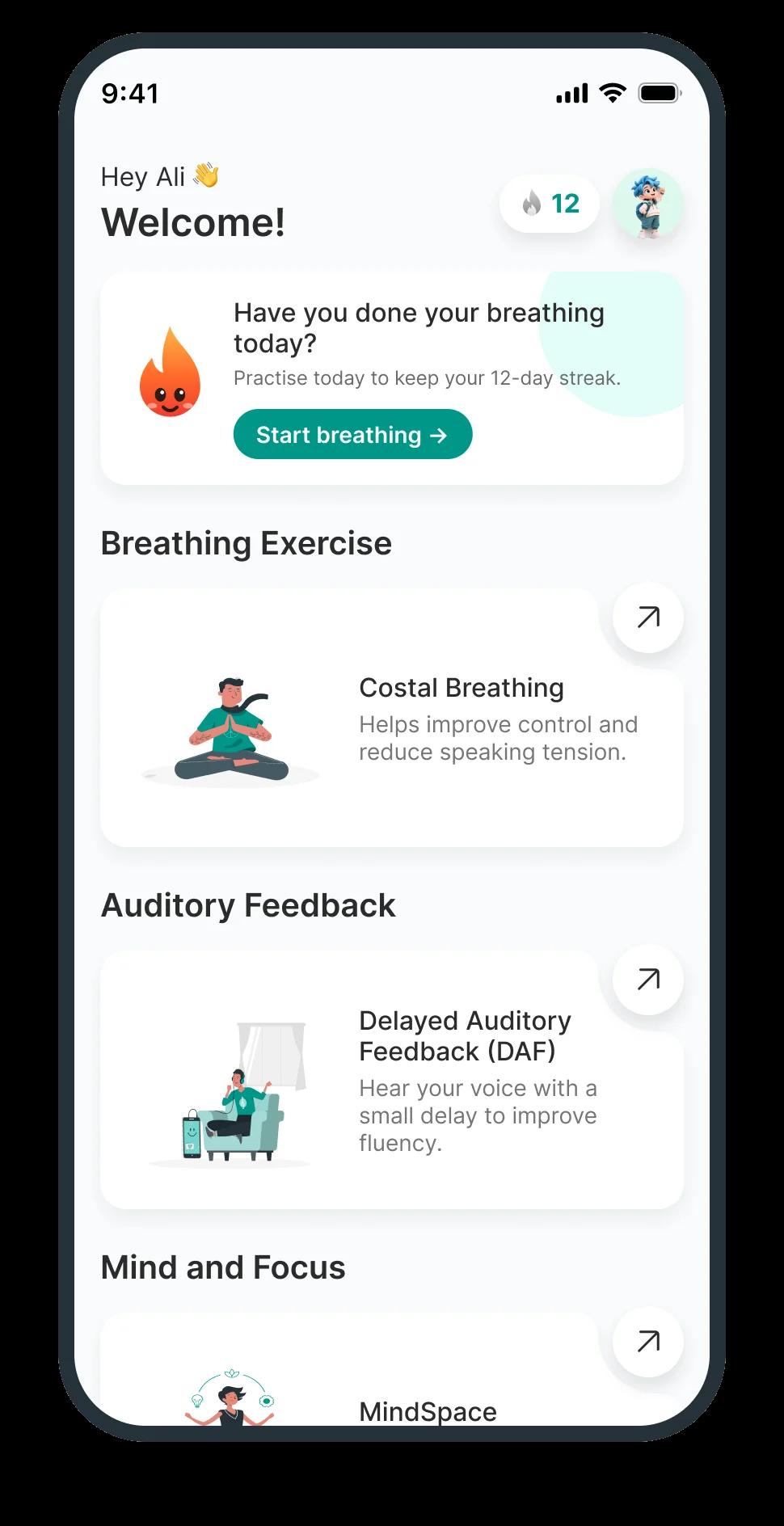
Guided Costal Breathing
Follow the exercise with an animated circle showing the inhale and exhale stages.

Guided breathing in Seakeasy
Seakeasy's guided Costal Breathing exercise gives you something to watch and listen to as you breathe. Set a session length that fits your day, with visual prompts and adjustable sound cues to follow.

Get to know Costal Breathing
During a Costal Breathing session, the circle gives you a rhythm to follow. It expands for the inhale and becomes smaller for the exhale. Gentle sounds accompany the movement, so you can follow both the visual and audio prompts.
When we feel tense, breathing often becomes quick and shallow, high in the chest. Slow, steady breathing is a widely used relaxation technique that may help the body feel calmer.
Inside a session
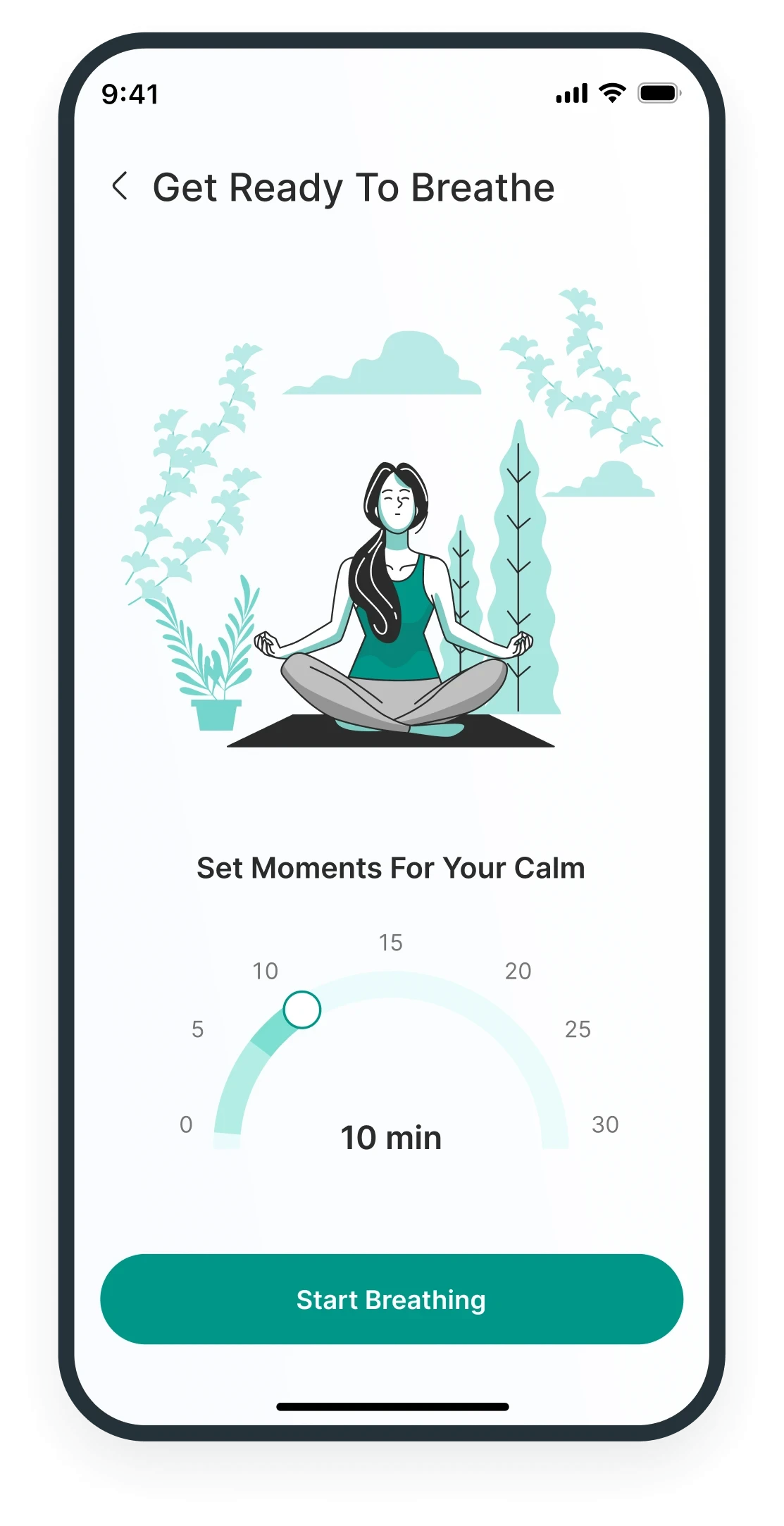
Set a time on the Get Ready to Breathe screen, then tap Start Breathing.
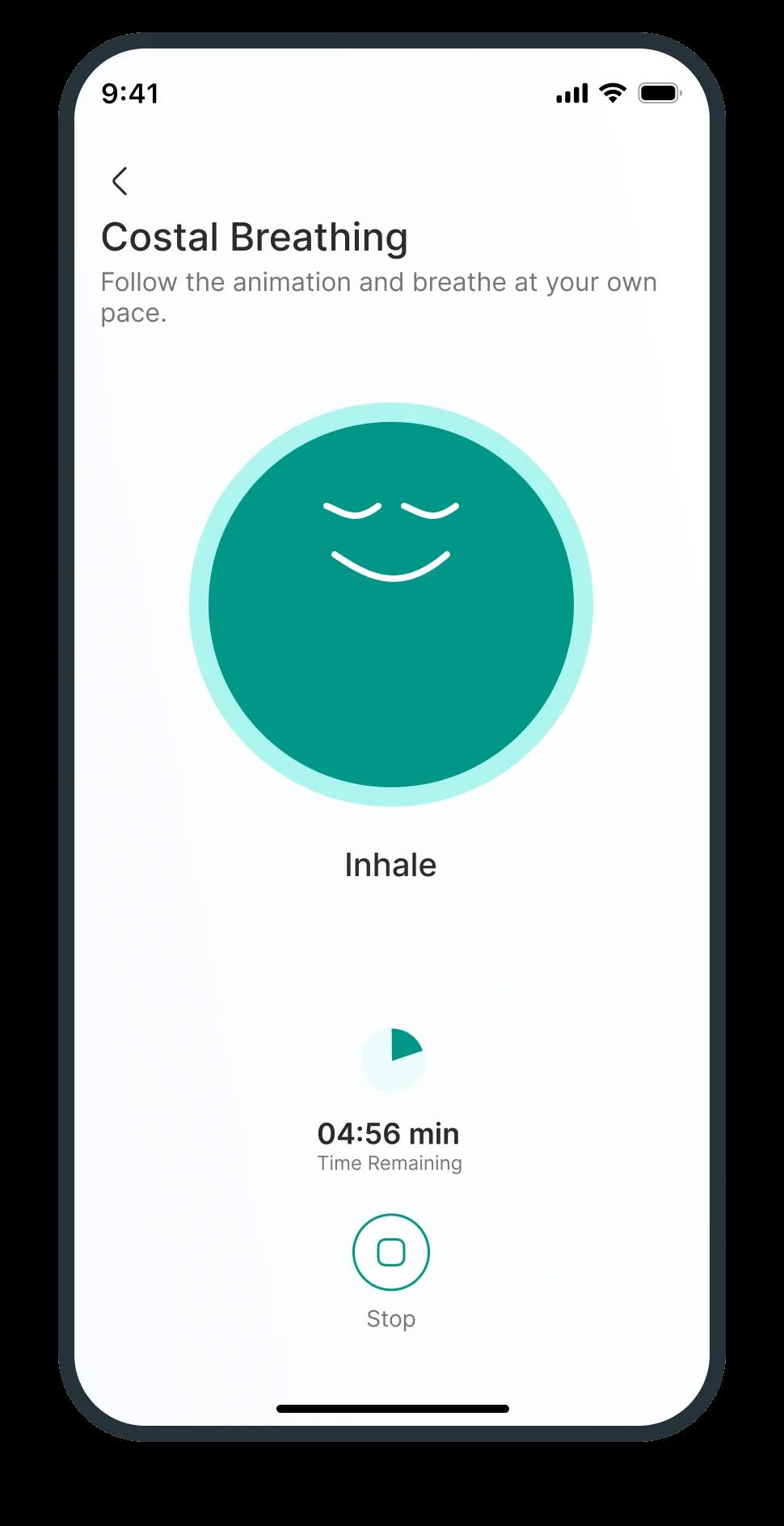
The circle grows for the inhale and shrinks for the exhale. Sound cues accompany each stage, while the timer shows your session progress.
What's in the breathing tool
Follow the exercise with an animated circle showing the inhale and exhale stages.
Choose a session of up to 30 minutes, depending on the time you want to spend.
Listen for the inhale and exhale prompts, with a volume level you can adjust.
After your session, note how you feel. Your response can reflect the experience you actually had.
Your first breathing session
Sit with your back supported or choose another position that feels comfortable.
Choose a time on the dial and tap Start Breathing.
Breathe gently as you follow the prompts. Keep your breathing comfortable rather than forcing it to match the animation.
When you finish, choose how you feel. You can return for another session whenever you want.

Thoughts about your day may come up while you follow the exercise. You can bring your attention back to the circle or sound cues and continue for as long as you want.
Read a little further
Anxiety & Confidence
If you have noticed this in your own speech, you may have questions. Read about the connection between anxiety and stuttering, and support you can explore.
10 min read
Anxiety & Confidence
Ideas for the minutes before a call, introduction or conversation, with room to choose what feels useful to you.
Coming soon

Everyday Speaking Situations
From rehearsing your opening words to asking for more time, explore practical ideas for approaching your next call.
Coming soon
Your breathing exercise questions
No. You can hear the sound cues through your phone speaker or use headphones if you prefer.
Seakeasy is a free app for people who stutter. Explore the tools and find a place for practice in your own routine.

Available on Android. Not yet available on iPhone.